Why "AI Operating System" Is the Phrase Everyone's Using in 2026
A year ago, AI was a feature. It was the little button in the corner of your email client, the autocomplete in your code editor, the chat widget bolted onto your project management tool. Useful, but supplementary — a layer of polish on tools you already used.
That's changing fast. The conversation has shifted from "AI inside your apps" to "AI as the layer between you and everything." AI isn't just helping you use tools anymore. For a growing number of people, it's becoming the environment they work in.
That's where the phrase "AI operating system" comes from. The metaphor is borrowed directly from computing: a traditional OS sits between you and your hardware, managing resources and making your applications possible. An AI OS, as people are starting to use the term, sits between you and your apps, your data, and your work — mediating, connecting, and increasingly, acting on your behalf. Worth being clear: an AI OS is not a literal operating system in the technical sense. It doesn't manage hardware or run your applications. The metaphor describes the ambition and the role, not the architecture.
It's a big idea. And like most big ideas that spread quickly, it's being applied to several different things at once. Before you can decide whether you need one — or which kind — it helps to know what people actually mean when they say it.
Three Things People Mean by "AI Operating System"
If you've read five different articles about AI operating systems and come away with five different mental models, that's not your fault. The term is genuinely being used to describe three distinct categories. Here's how to tell them apart.
Device-Level AI Operating Systems
The most literal use of the term: AI baked into the operating system your device actually runs.
Apple Intelligence is the clearest example. It's woven into iOS and macOS at a system level — which means it can do things a third-party app simply cannot. It can read your notifications across apps, understand what's on your screen, search through your photos by describing them, and take action across apps using system-level permissions. Microsoft's Copilot+ PC initiative works similarly on Windows, with AI features tied to specific hardware (Snapdragon X-series chips and their Neural Processing Units) and integrated into File Explorer, Windows Search, and features like Recall (though that particular feature has had a troubled rollout and remains controversial). Google's Gemini Intelligence for Android follows the same pattern — announced in May 2026, it brings system-level AI across apps, browsing, and task automation, rolling out to flagship devices from summer 2026.
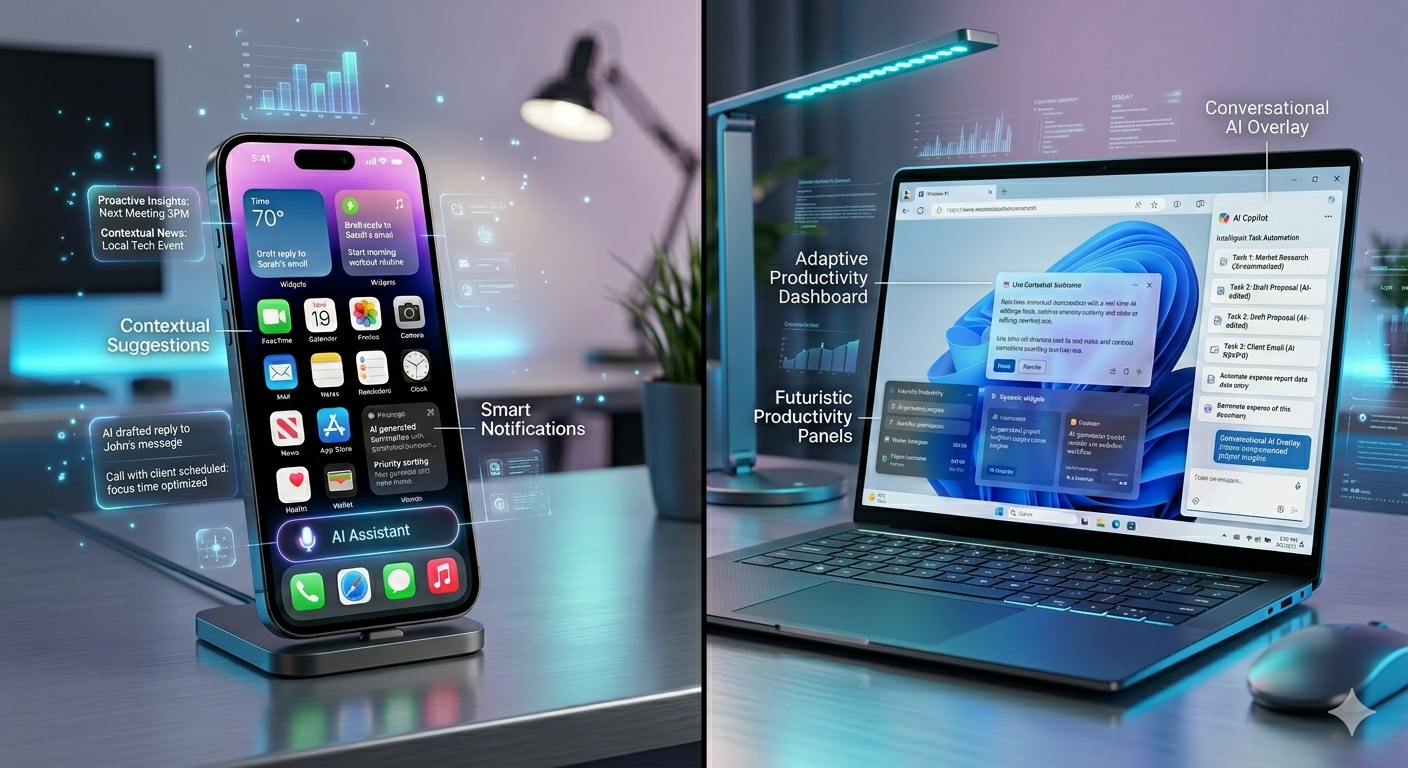
What they do well: The tight integration is real. System-level access means these tools can see more and do more than any sandboxed app. If you want AI that understands your notifications, responds to what's on your screen, or searches across every file on your device without an upload step, this is the category that delivers.
Where they fall short: You're locked in. Apple Intelligence only works in Apple's ecosystem. Microsoft's Copilot+ features are tied to specific hardware and Windows. Neither travels with you to the other platform. And both evolve at the vendor's pace — you get the features Apple or Microsoft decides to build, on the timeline they decide to build them.
Who they're for: People who live deeply in one ecosystem. If you're all-in on Apple or all-in on Microsoft, device-level AI is a meaningful upgrade. If you work across platforms, or if the specific features you care about aren't on the vendor's roadmap, you'll feel the ceiling.
Personal AI Agents (Hardware or Software)
The most ambitious use of the term — and the one that's generated the most hype, and the most disappointment.
The pitch: what if you didn't have to manage apps at all? What if you just described what you wanted, and an AI agent figured out which apps to use, took the actions, and handed you the result? That's the vision behind hardware like the Rabbit R1, a small device meant to replace the app-switching overhead of a smartphone. It's also the vision behind a wave of software-based "agent" products that promise to automate multi-step workflows across your tool stack.
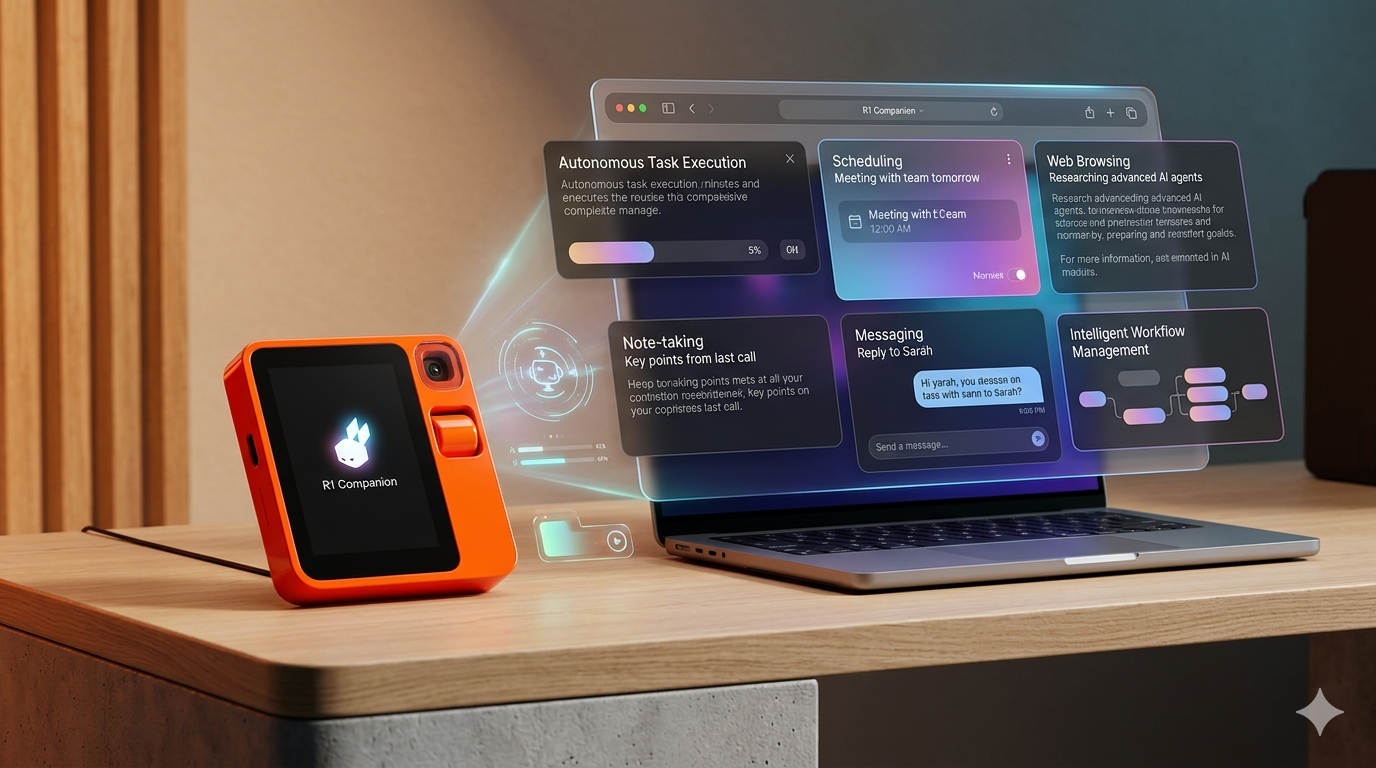
What they do well: When they work, they genuinely reduce friction. Describing a task in plain language and watching an agent execute it across multiple apps is a qualitatively different experience from navigating each app manually. The demos are often impressive.
Where they fall short: The gap between demo and daily use has been wide. Hardware devices in this category have had a rocky road — the Rabbit R1 launched to scathing reviews in 2024 before a significant software overhaul in 2025 brought it back from the brink. Software agents are better positioned but still early. The reliability required for mission-critical workflows isn't consistently there yet. Notably, Humane, maker of the Ai Pin, shut down in 2025 after failing to find a sustainable path to market — a useful data point about where hardware AI agents currently stand.
Who they're for: Early adopters who are comfortable debugging rough edges and don't need the AI to work every time. This category will matter a lot more in two to three years. For most knowledge workers today, it's a fascinating experiment rather than a daily driver.
Personal AI Workspaces
The newest and, for most knowledge workers, the most immediately practical category. This is where a product like hk3k lives.
A personal AI workspace is not a device and not an agent layer over your existing apps. It's a dedicated environment — a workspace — where your conversations, notes, tasks, files, and other content all live together, and where a single AI runs across all of it.
The "operating system" metaphor applies because the AI isn't a feature inside one document or one chat thread. It's the connective tissue of the whole workspace. Ask it something, and it can draw on your notes from three months ago, your ongoing tasks, and the conversation you had yesterday — all at once. That's different from what a chatbot does. A chatbot has no memory of your work. A workspace AI does.
What they do well: Persistent memory across your work is the core value. Cross-source search that finds things across notes, conversations, and imported content. Agent actions that go beyond answering questions — creating folders, drafting notes, scheduling tasks, even building and publishing sites, all from a single natural-language instruction. And critically, they accept imports from your existing knowledge base, so you're not starting from zero.
Where they fall short: A personal AI workspace doesn't help at the OS level — it can't read your notifications or understand what's on your screen. It also doesn't replace the specialized apps you use for specific tasks (Figma for design, Photoshop for photo editing, your spreadsheet tool for financial modeling). It's the layer for knowledge work that lives in text, ideas, and structured notes — and it's excellent at that layer, and only that layer.
Who they're for: Knowledge workers, researchers, students, solopreneurs, writers, and anyone whose work primarily lives in text, ideas, and connected information. If the core of your job is thinking, writing, planning, and synthesizing — this category was built for you. For a deeper look at how personal AI workspaces work, see our complete guide to AI workspaces.
What an AI OS Should Actually Do (Whichever Kind You Pick)
The term "AI operating system" is getting applied loosely enough that it's worth stepping back and asking: what would a product in this category actually need to deliver to earn the name? Here's a reasonable standard.
Persistent memory. An AI OS should know your work history and not make you repeat yourself. If you told it the context of a project last month, it shouldn't ask again. Memory — real, cross-session memory, not just a long chat thread — is what separates an AI OS from an AI feature.
Cross-source intelligence. It should be able to search, summarize, and connect across all your data, not just whatever's open in the current tab. Siloed AI — the kind that can only see one document at a time — is a feature, not an operating system.
Agency. It should be able to do things, not just describe things. Drafting is useful. Creating a folder structure, populating it with notes, scheduling associated tasks, and publishing a page — that's operating-system-level behavior.
Connection to your stack, not lock-in. The ability to import your existing data and export it later matters enormously. An AI OS that knows everything about your work but won't let you leave is a liability, not a tool. Integrations with the tools you already use (Notion, ChatGPT, Obsidian, and others) are a feature; walled gardens are a warning sign. If you're deciding between Notion and Obsidian as your starting point, this comparison may help.
Privacy you can actually verify. An AI OS knows more about you than almost any other piece of software you'll use. The privacy model — what's stored, where, for how long, and who can access it — needs to be clear and specific, not buried in a terms-of-service document.
Where Each Kind of AI OS Fits (And Doesn't)
One more thing worth saying clearly: most people will end up using more than one of these, and that's fine. Device-level AI handles the system layer — your notifications, your screen, your files at the OS level. A personal AI workspace handles the work layer — your ideas, your projects, your connected knowledge. They serve different things and don't have to compete.
| Kind | Best for | Worst for | Watch out for |
|---|---|---|---|
| Device-level | Living deeply in one ecosystem (Apple, Microsoft) | Cross-device or cross-vendor users | Vendor lock-in, features gated by hardware generation |
| Personal AI agent | Early adopters, high tolerance for rough edges | Reliability-dependent daily workflows | Hype significantly outpacing current capability |
| Personal AI workspace | Knowledge work that lives in text, notes, and tasks | Phone-first or hardware-bound workflows | Some products are thinner under the hood than they appear |
hk3k as a Personal AI Operating System
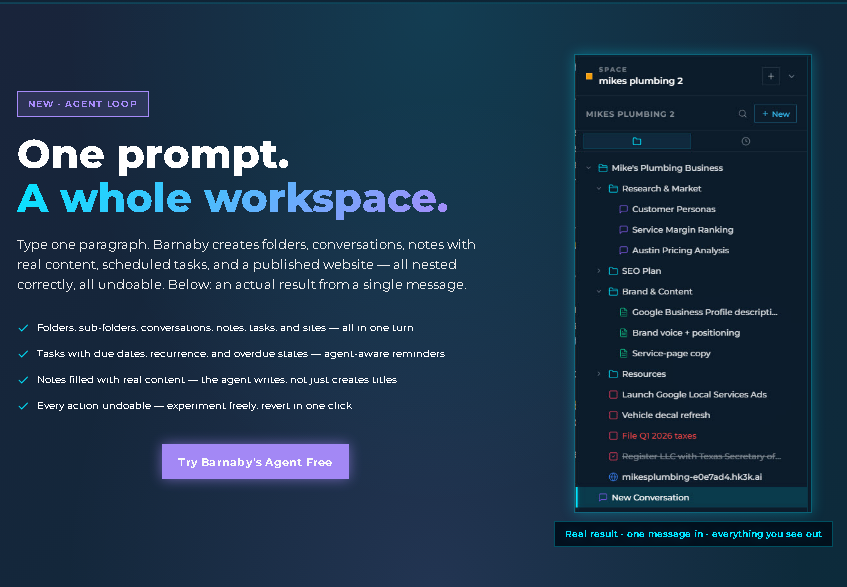
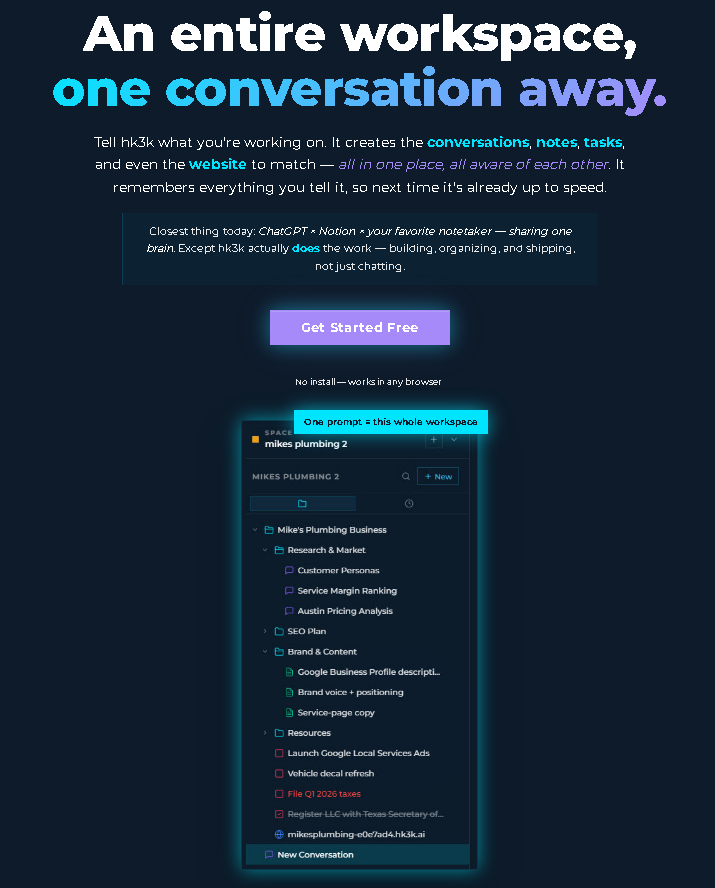
hk3k is one specific kind of AI operating system — a personal AI workspace where your conversations, notes, tasks, files, and websites all live together in a single organized structure called Spaces.
The organizing principle is a tree: everything in your work life can be nested, connected, and surfaced by the same AI, regardless of which type of content it is. A note, a task list, a conversation, and a published page can all live inside the same Space, and the AI that runs across hk3k can see all of them.
The agent loop is where the "operating system" experience becomes concrete. Type a paragraph describing a project you're starting — the goal, the pieces involved, the timeline — and the system can create the folder structure, populate it with draft notes, schedule associated tasks, and even publish a site (here's how the AI website builder works) — built with properly licensed, creator-compensated imagery, not scraped web content — all nested correctly, and every action is undoable before you confirm. That's not a chatbot answering a question. That's an AI acting as an operational layer.
hk3k also imports your existing knowledge so you're not starting from zero. Notion workspaces via OAuth, ChatGPT conversation history, Claude conversation history, and uploaded files all come in, and the AI can immediately work across them. The workspace grows from what you already know, not from a blank slate. Scheduled tasks come with reminders that reach you inside the app or via Telegram (@hk3k_bot), so your second brain can find you wherever you are.
For sensitive work, hk3k includes built-in privacy modes — three levels of memory control, from normal to full privacy — so you decide exactly how much the AI retains. That makes the "privacy you can actually verify" standard described earlier in this article something hk3k addresses directly, not abstractly.
It's a personal product — not a team collaboration tool, not tied to a phone OS. It lives at app.hk3k.ai, runs in your browser, and is free to start with no credit card required.
The "AI OS" Future That's Probably Coming
The category lines described in this article will blur. Device-level AI will get better at understanding intent, not just system state. Agent products will get more reliable as the underlying model capabilities improve. Workspaces will get tighter integrations with the tools that surround them.
What seems likely to matter most as this plays out:
Less app-switching, more describing. The dominant UX shift will be away from "navigate to the right app, use the right feature" and toward "describe what you want, let the AI figure out the rest." That's already happening at the margins; it will become the norm.
Privacy as differentiation. As AI OS products accumulate more of your working life — your notes, your tasks, your history, your ideas — the privacy model stops being fine print and becomes a core feature. "Your data stays yours, and here's the proof" will be a meaningful competitive advantage, not a checkbox.
Lock-in risk will rise. The more useful an AI OS becomes, the harder it is to leave. The data you generate inside one — the memory, the notes, the organized history — is increasingly difficult to take with you. The products that will earn long-term trust are the ones that make exit possible while still making staying worthwhile.
The winners in this category will be measured in years, not weeks. The AI that earns a place in your daily work is the one that's still there, still learning, and still trustworthy in three years.
Frequently Asked Questions
Is "AI operating system" the same as "agentic AI"?
Related, but not the same. Agentic AI is a capability — the ability to take multi-step actions autonomously rather than just responding to prompts. An AI OS is an environment. You can have an AI OS that isn't very agentic, and you can have agentic AI that isn't organized as an operating system. The best AI OS products are agentic; not all agentic AI lives inside an AI OS.
Do I need an AI OS?
Probably not yet — at least not urgently. The category is real and the products are improving quickly, but none of them are required for knowledge work the way email is required. What's worth doing now is understanding the categories clearly so that when a product genuinely fits how you work, you can recognize it. Trying one of the personal AI workspace products is a low-cost experiment.
What's the difference between an AI OS and a chatbot?
A chatbot is a tool you reach for — you open a tab, ask a question, get an answer, close the tab. An AI OS is the layer your work happens in. The distinction is persistent context: a chatbot doesn't know what you worked on yesterday; an AI OS does, because it was there. That's the whole difference, and it's a large one in practice.
Can I use multiple AI OSes at once?
Yes — and most people already do, intentionally or not. You might use Apple Intelligence for system-level features on your iPhone while using a personal AI workspace for your actual knowledge work. They serve different layers and largely don't conflict. The main thing to watch is data portability: the more you invest in any one AI OS, the more you want to know what happens to that data if you ever want to move.
Is this just hype?
Some of it is. The hardware agent category has seen real failures, and the gap between demo and daily use has been significant across several products. But the underlying trajectory is real: AI is moving from feature to environment, and the products that figure out how to make that shift trustworthy and useful will be genuinely transformative for how knowledge work gets done. Healthy skepticism is warranted. Dismissing the category entirely is not.